
A look around Litebackup
Everything you need to protect your SQLite databases lives in one calm, simple console.
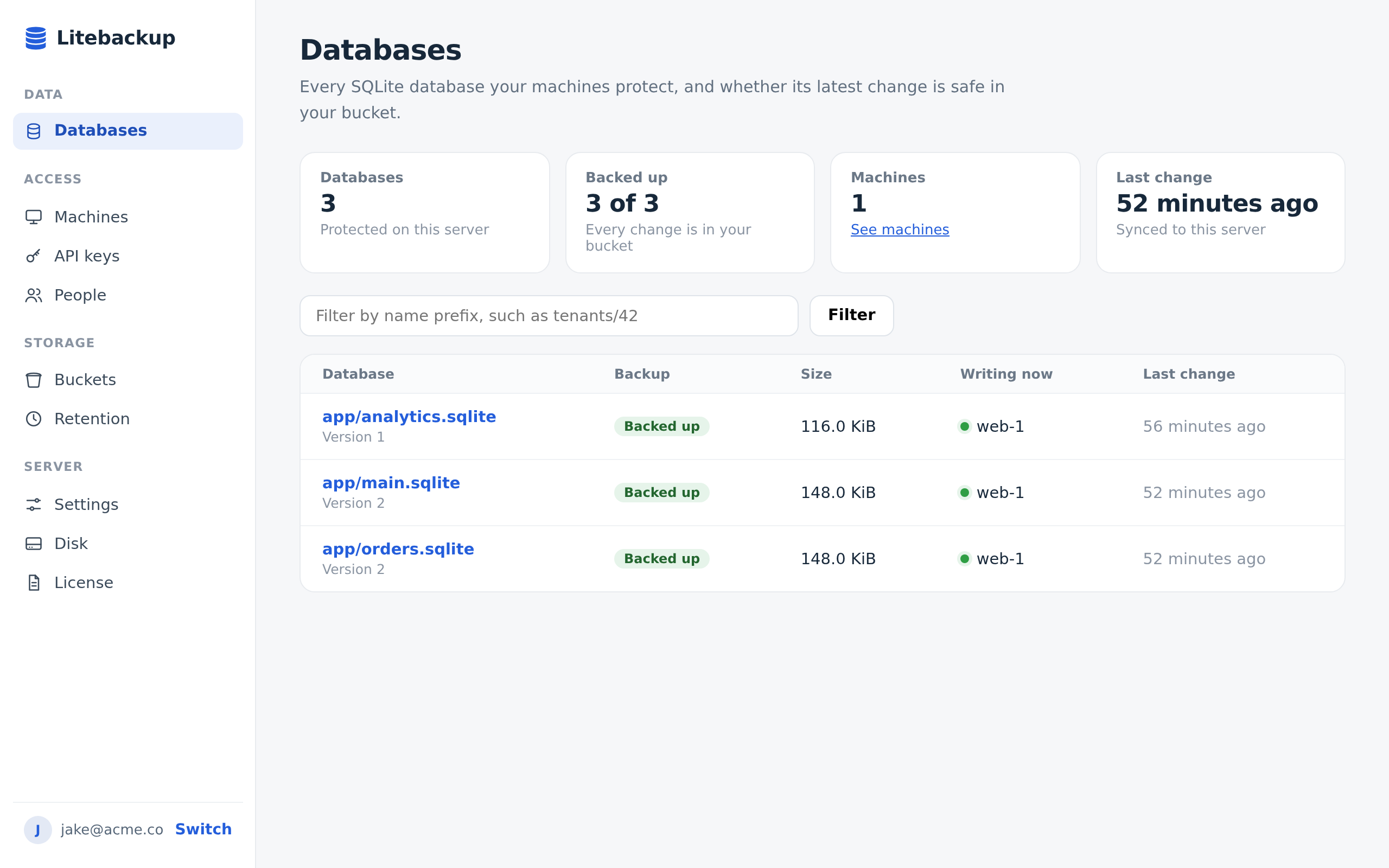
See every database
Each database shows whether its latest change is safe in your bucket, who is writing to it, and when it last changed.
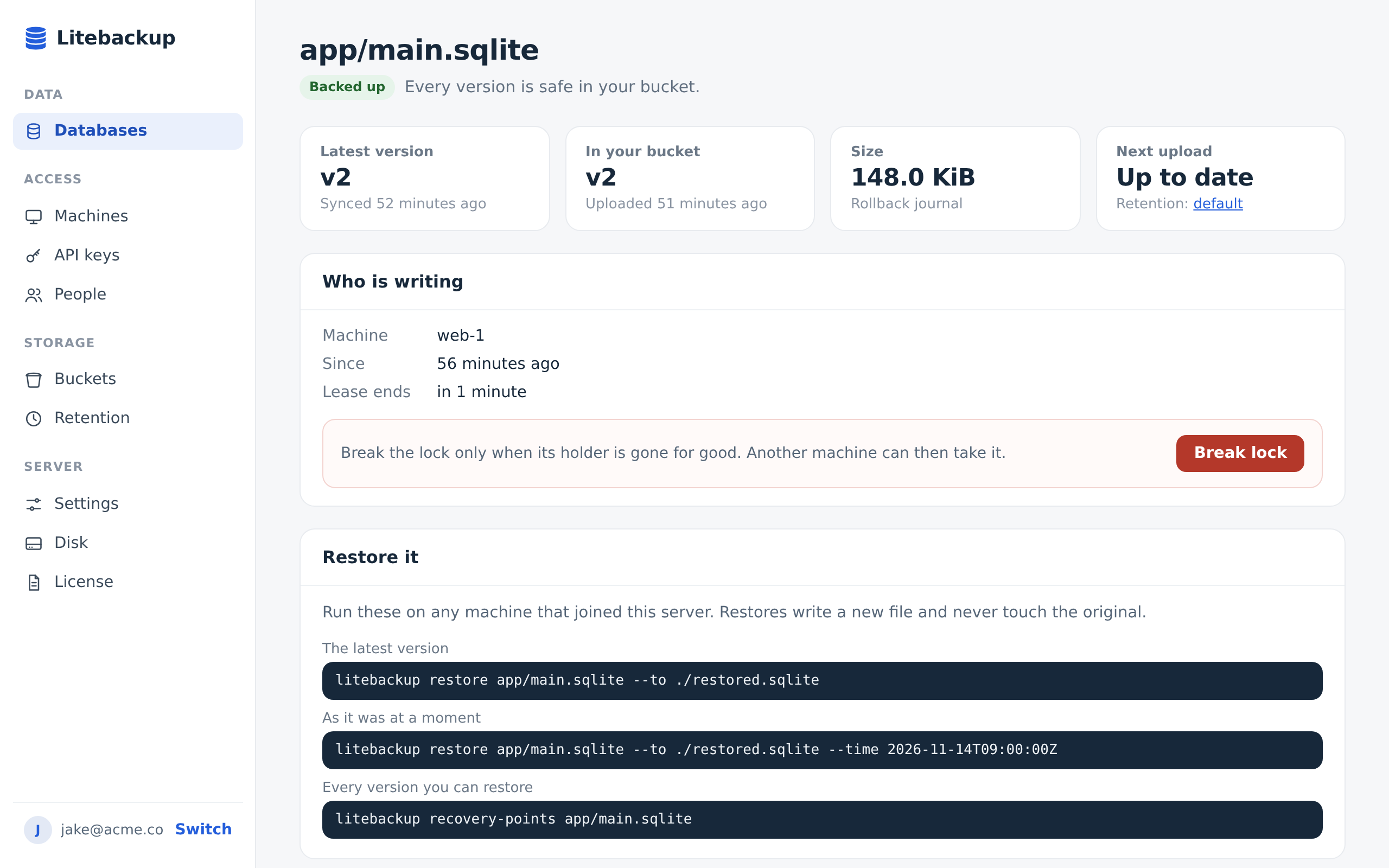
Restore any moment
Open a database to see its versions and copy the exact command that brings any of them back.
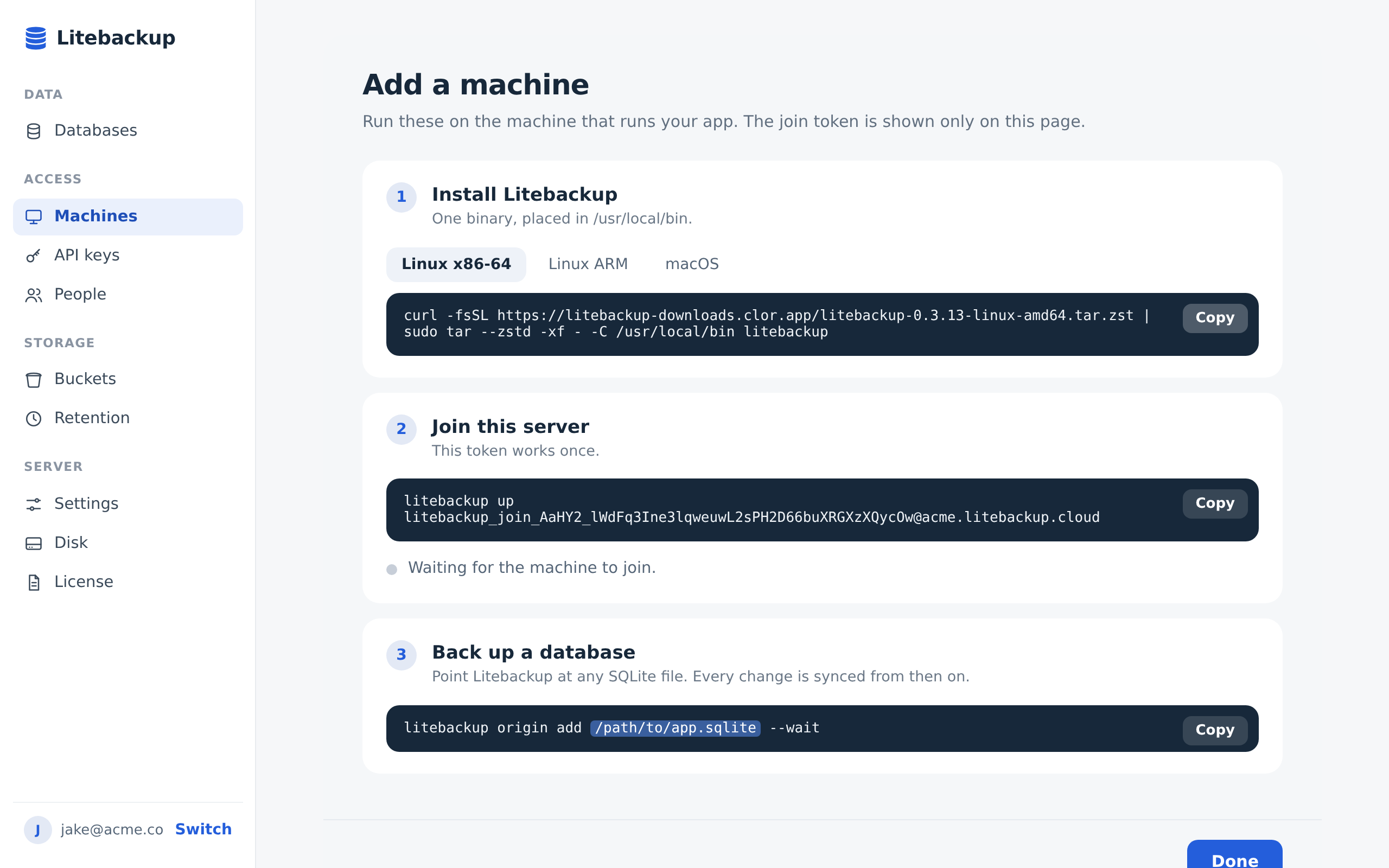
Add a machine in three steps
Install Litebackup, join your server, and point it at a database, with live status while the machine joins.
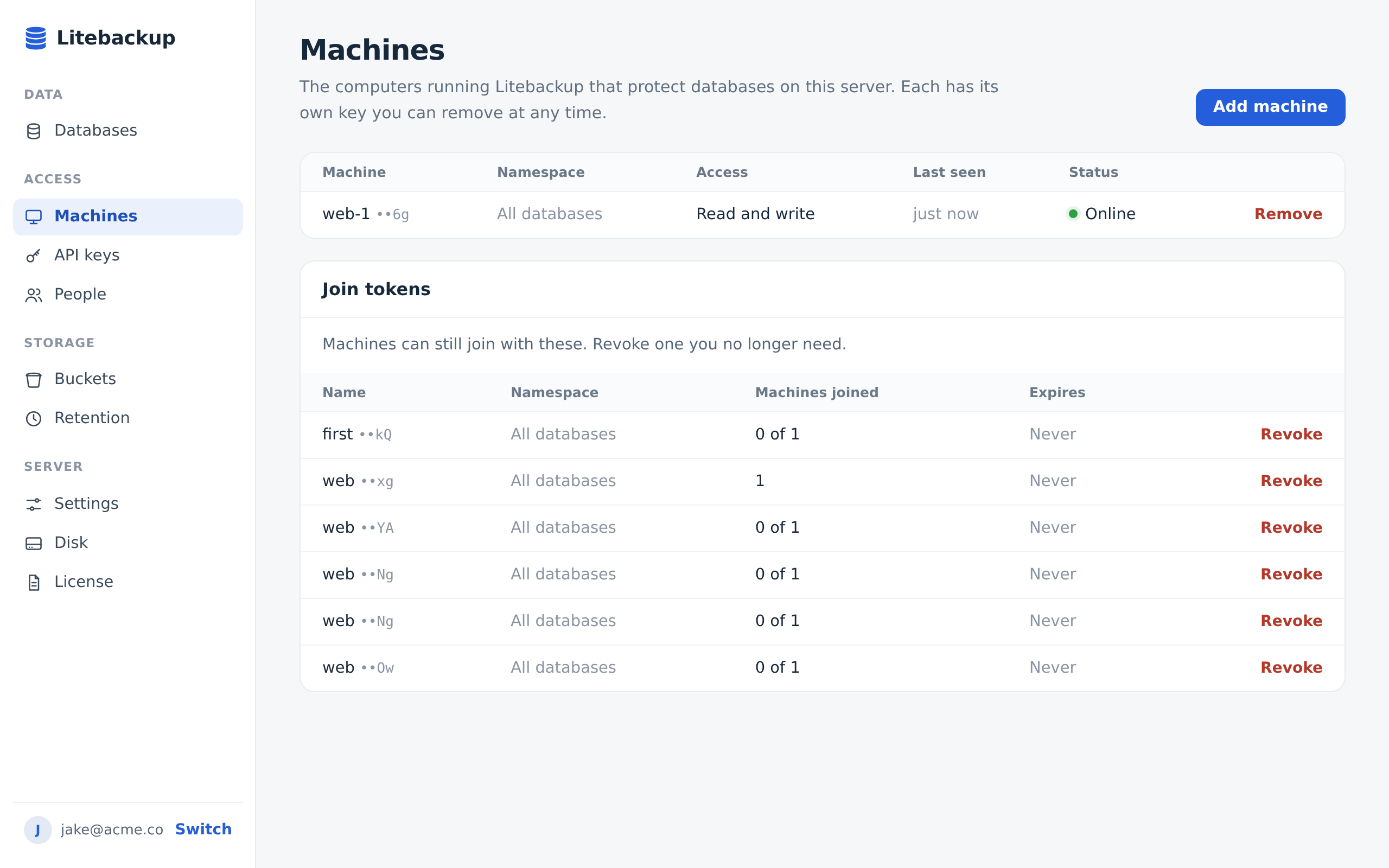
Know which machines are online
Every machine has its own key, so you can see when it was last seen and remove it at any time.
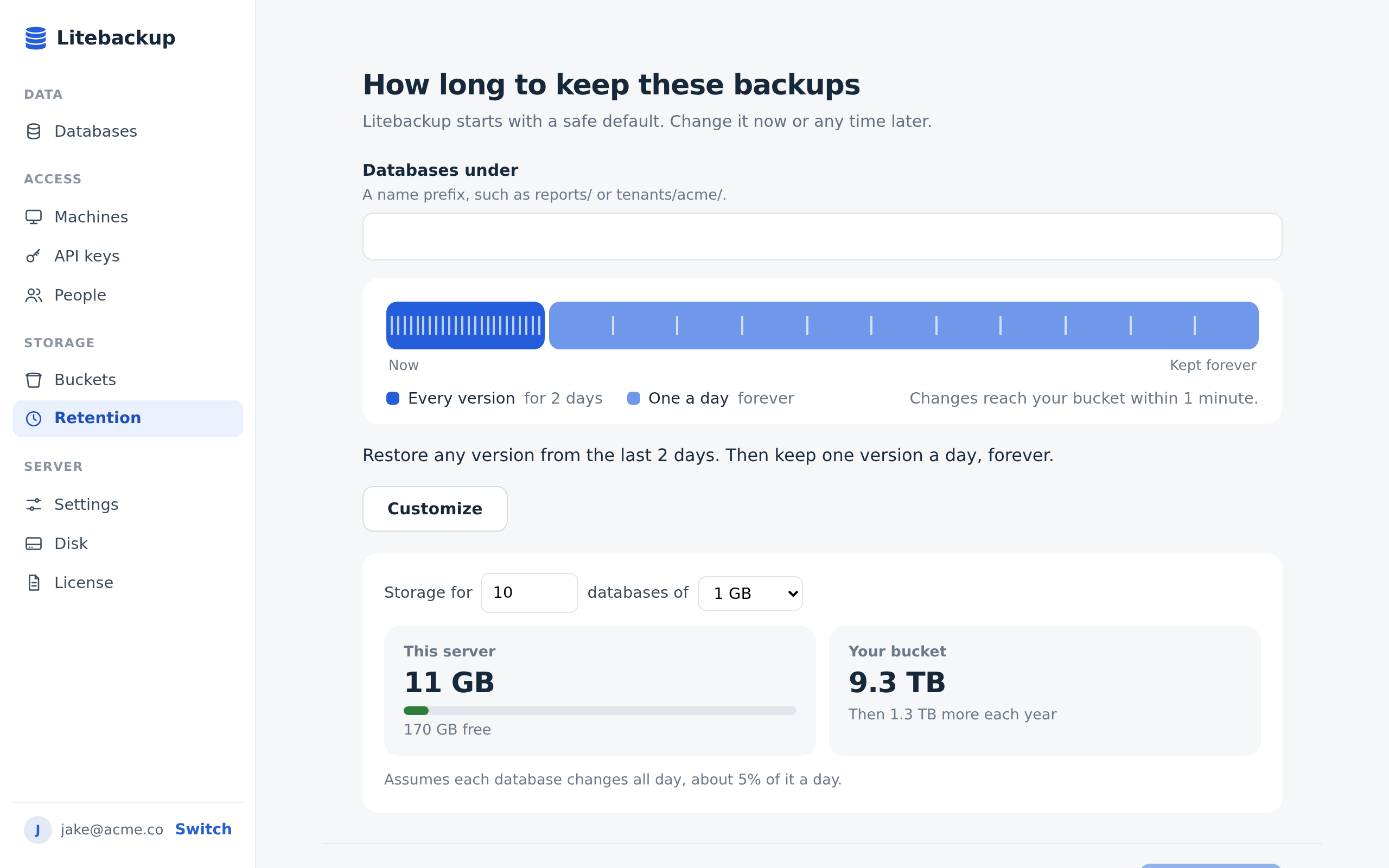
Choose how long to keep backups
Pick how far back you can restore, and see what it will cost in disk and bucket space before you save.
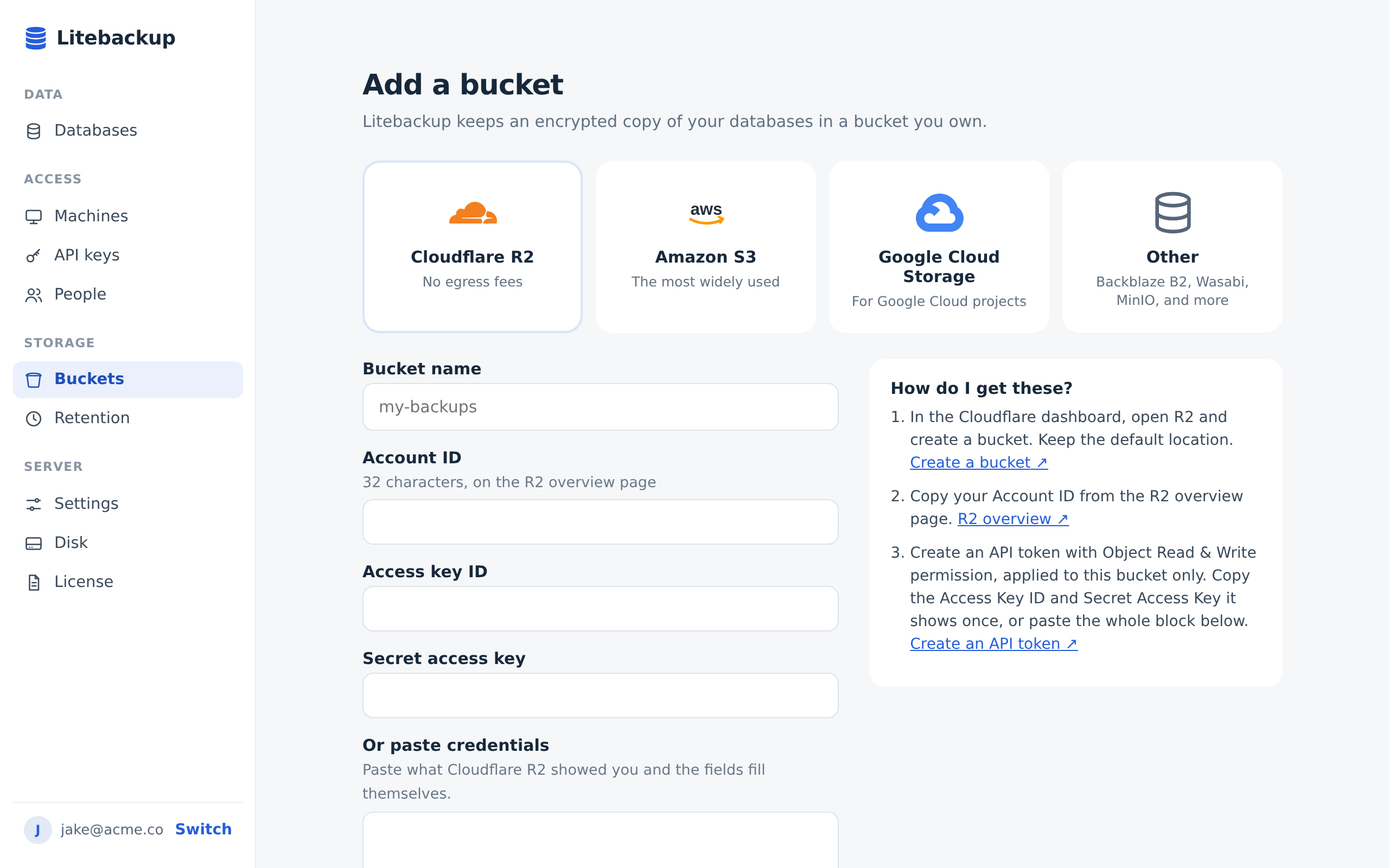
Bring your own bucket
Connect Cloudflare R2, Amazon S3, Google Cloud Storage, or any S3-compatible store, and Litebackup checks it before it trusts it.
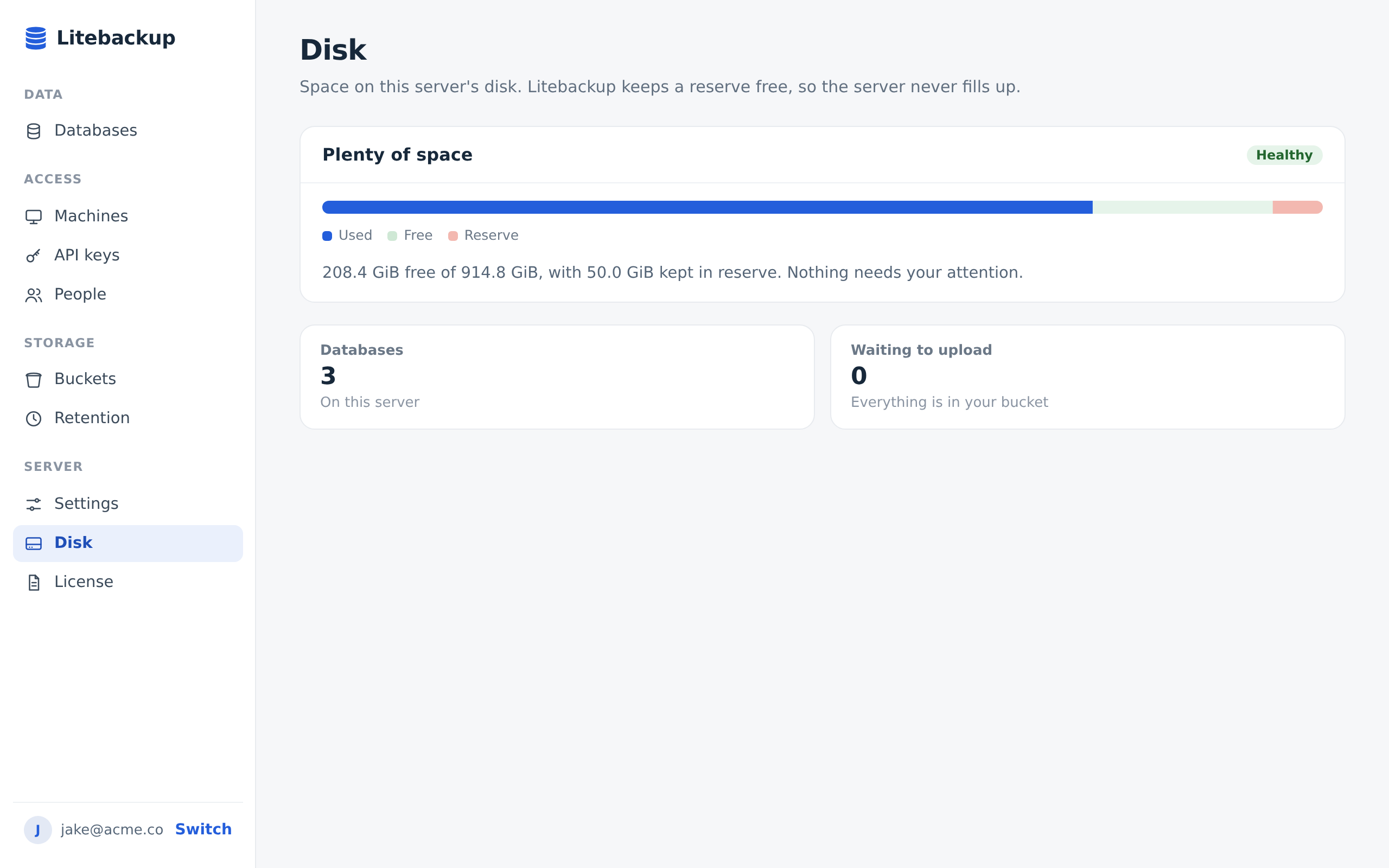
Never run out of space
Litebackup keeps a reserve free on your server and tells you plainly when anything needs your attention.
Try it on your own databases
Install the server and protect your first database in minutes.