
Send SQLite backup alerts to your team
Page the engineer on call or post to a channel when an archive runs late, a replica falls behind or the server runs low on disk.
Page the on-call team
Choose the service that owns backups to open an alert and resolve it when the threshold recovers.
Send a message or call a webhook
Chat channels receive a message for each change, while a webhook lets you decide what happens next.
Follow an alert through recovery
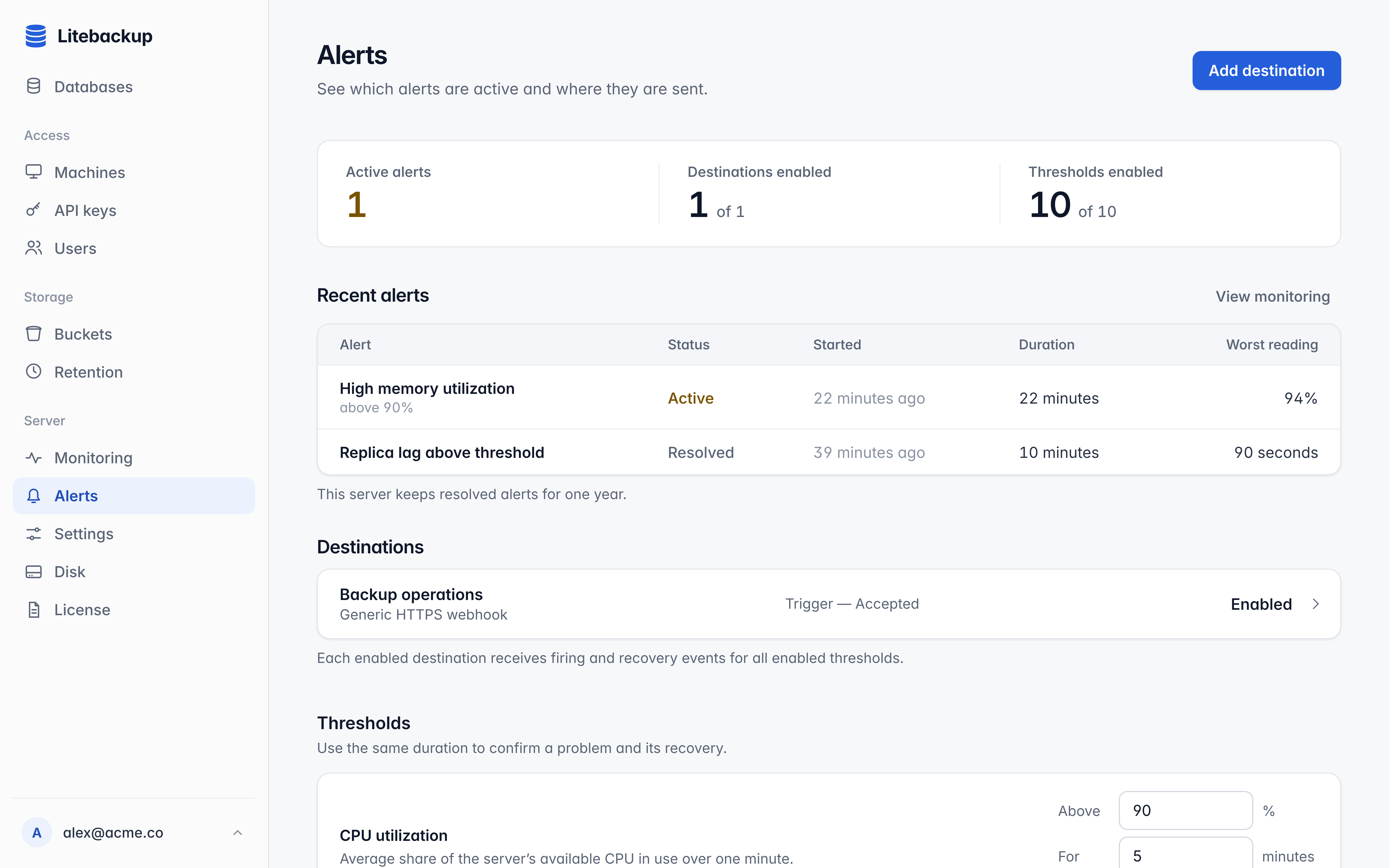
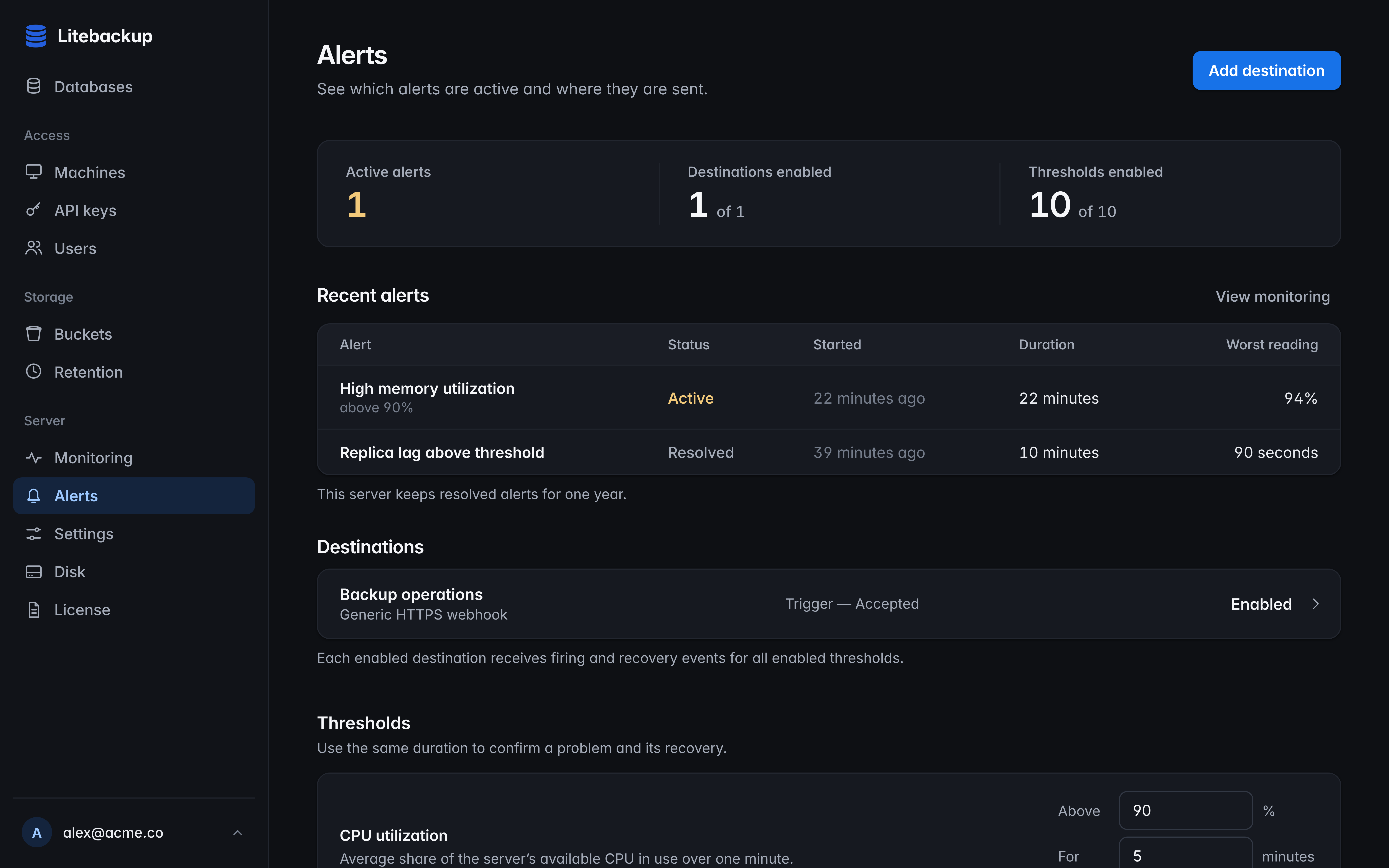
Open Alerts to see which problems are active, which have resolved, and whether each destination accepted the last request.
When will Litebackup page someone?
How long must a threshold be crossed?
A five-minute CPU rule needs five consecutive minute readings above its limit to fire and five at or below the limit to recover. A missing reading breaks the run and preserves the current alert. A zero-minute rule needs one observed minute in either direction.
What happens after a network outage?
Each server sends alerts that are still open. If it tried to send a trigger, it sends the recovery even if it lost the original response. Alerts that started and ended before the first attempt stay in Litebackup history.
What happens when I disable a destination?
Disabling or removing a destination stops new requests and retries. A request already in flight may finish, and existing provider incidents stay open.
How do I detect a server that is down?
Scrape the Litebackup metrics endpoint from a separate Prometheus server. The LitebackupDown rule below alerts when the scrape fails for five minutes.
Prometheus alert rules
Load them in Prometheus with rule_files, and set the durations to suit your archive delays.
groups:
  - name: litebackup
    rules:
      - alert: LitebackupDown
        expr: up{job="litebackup"} == 0
        for: 5m
        annotations:
          summary: The Litebackup server does not answer /metrics.
      - alert: LitebackupBucketBehind
        expr: max(litebackup_archive_oldest_unarchived_seconds) > 3600
        for: 10m
        annotations:
          summary: A version has waited more than an hour for the bucket.
      - alert: LitebackupBackupUploadLate
        expr: max(litebackup_late_archive_databases) > 0
        for: 15m
        annotations:
          summary: A database has changes waiting more than twice its archive delay for upload.
      - alert: LitebackupBucketCheckFailing
        expr: max(litebackup_bucket_check_failures) > 0
        for: 1h
        annotations:
          summary: Bucket checks are failing.
      - alert: LitebackupIntegrityErrors
        expr: increase(litebackup_archive_integrity_errors_total[1h]) > 0
        annotations:
          summary: A restore from the bucket found a missing or damaged object.
      - alert: LitebackupDiskLow
        expr: min(litebackup_disk_free_bytes) < 2 * max(litebackup_disk_reserve_bytes)
        for: 10m
        annotations:
          summary: Free disk is under twice the reserve.
      - alert: LitebackupReplicaLag
        expr: max(litebackup_replica_lag_seconds) > 60
        for: 10m
        annotations:
          summary: A replica is more than a minute behind.
      - alert: LitebackupRequestRateLimiting
        expr: sum(rate(litebackup_rate_limited_requests_total[5m])) > 1
        for: 15m
        annotations:
          summary: The server is returning HTTP 429 because a limit was reached.
      - alert: LitebackupLicenseEnding
        expr: max(litebackup_license_state) >= 1
        annotations:
          summary: The server's license ends soon or has ended.
What each alert means
-
Bucket behind
A version has waited more than an hour for your bucket. Check the bucket's credentials and the server's network.
-
Backup upload late
A database has changes waiting more than twice its archive delay for upload. The Databases page lists them.
-
Bucket checks failing
The server could not confirm that the bucket holds every object it expects.
-
Disk low
Free disk is under twice the reserve. Syncs pause at the reserve until space frees up.
-
Replica lag
A replica is more than a minute behind the database it reads.
-
License ending
The license ends within 30 days or has ended. Backups keep working either way.
Monitor your first SQLite backup
Install Litebackup, back up a database and choose where its alerts go.